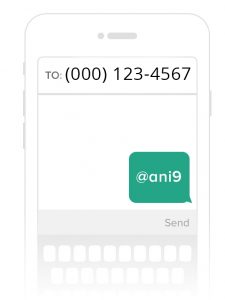
Whether you’re new to Remind, or you’ve used it before, it’s super handy to have the image that shows your “phone number” (it’s not your real phone number, it’s a number issued to you by your Remind account) that you can post in your Distributed Learning shell, you can print and hang in your classroom, you can distribute on the school website and so on…
Somewhere in Remind you can find an image like this. I know it’s there! I found it yesterday. Then I forgot where I found it, and so I wasted about another fifteen minutes trying to find it. Fifteen minutes that I didn’t really have to waste on the first day of school.
So, if you’re looking for the image, or the .pdf instructions to send home with students – here’s a quick video tutorial showing you where to find that information!!
So, today we experienced a new error in our Remind apps. A number of students received the message “You are not allowed to join this class because it is not associated with a school”. This was not something we had seen before. I did some searching and came up with nothing (my time was limited because I am a full-time teacher, so this we between classes and during the last few minutes of my prep that I was attempting to find the answers to this sudden issue.
I was very impressed with their customer service. I initiated the ticket mid-morning, and they had responded by noon. Their response to my inquire was succinct, to the point and indicated that Canada is in their near future plans.
I applaud Remind for ensuring that they are a kid-safe website, and that they have done what is necessary to receive ikeepsafe certification. Digital safety and digital citizenship are not always convenient, but they are extremely important concepts in 2016.
Remind (formerly Remind 101) is one of the great tech tools for teachers out there. When parents and students register using your class code (this can be done via text, or through Remind’s own app for smartphones – the user can choose their preferences), teachers can send reminders out via text regarding classroom happenings.
The thing is, your remind codes start to become part of your day-to-day teaching experience. They’re on your course outline, newsletters, booklets – pretty soon they’re everywhere and you don’t want to be changing the code each year.
Clearing our last year’s students so that you can reuse your codes is incredibly easy. Here is a 1:22 video showing you how to “clean house” so you’re ready for this school year!!