How to Record Audio for Students with Learning Disabilities on a Chromebook

I was wrong!

The first time I took a look at Mic Note for recording audio clips to assist our students who struggle with reading or have written language or other disabilities, I thought that it was clunky and awkward.

After much searching for a perceived better option, and coming up blank, I returned to Mic Note, only to realize that I was wholesale wrong about it.  It offers more than just audio recording, which is amazing!

Among my first misconceptions was my assertion that it was difficult to record in .mp3 format, and awkward to direct to Google Drive. Wrong.  If you are wanting to learn how to record your voice on a Chromebook, this app is what you’ve been seeking!

The key advantages it offers over other audio utilities are important details for educators.

Firstly, it allows for up to four hours of recording time. None of us require that much for school uses, but we definitely need more than 5 or 10 minutes as the outer limit, which is where most other applications cut the recording off.  Some sources for exams take longer than 10 minutes to read aloud.

Secondly, it can be set to store the recordings directly into your Google Drive, making them yours forever. This is another advantage over the “competition”. There are some decent applications out there – Talk & Comment and Vocaroo come to mind right away – but they store your audio on their server and delete it after an amount of time has passed. This means that for all the time it takes to record the audio, a year down the road when you wish to reuse the resource with your students, you no longer have access to your recordings from last year, or even last semester. That’s no good!

Thirdly, Mic Note allows you to edit your audio as you are in the process of recording. So, if you get your tongue in a knot reading aloud, and you need to try again, Mic Note facilitates this easily.

So, I hereby retract my earlier position about Mic Note, and I highly recommend it.

Here’s a video outlining how I recorded an English 30 exam for students requiring the accommodation, and the templates for the two exam booklets can be copied to your Google Drive through the freebies section of this website!

Flat for Google

Flat is an excellent music notation editor that works directly with GSuite. You install it from the Chrome store into your Chrome account and you will have a sheet music editor that allows for collaborative editing and creation.

Noteflight Learn

Noteflight is a robust application for music teachers. They do offer a free trial, but in order to access this, you must contact the company. Their product prices in at approximately $7 per student, and membership allows the teacher to organize classes, create assignment and gives access to a library of musical scores and lessons. Their site specifically states that their application works on Chromebooks.

Their privacy policy is suitable for use in Canada. They state “The only identifying information collected is on the teacher and the school. All students are assigned unique usernames by the teacher; therefore Noteflight does not collect any personal information on students.” This means that teachers can enter students using false (game) names. An easy way to do this is to use the student’s first name and make their last name your school or town name. For example: Jayden Delburne or Laura Beacon.

LibriVox – Free Audiobooks

Librivox boasts an impressive library of 5,000 audibooks read by volunteers from all around the world. All books are completely free and can be listened to on a large range of devices. The search feature supports searching by author, title or reader.

1,000 Free Audio Books

Open Culture offers thousands of resources that are free of copyright, and can be used by anyone. Their list of classic books informs users where the free resources are to be found, and in the case of the audio books, it specifies if the file can be downloaded from Audible (free app for iphone and android), iTunes, Spotify and other MP3 options.

This is a great site for high school English students to peruse should they need or want audio support for their novel study portions of their classes.

Chrome Music Lab

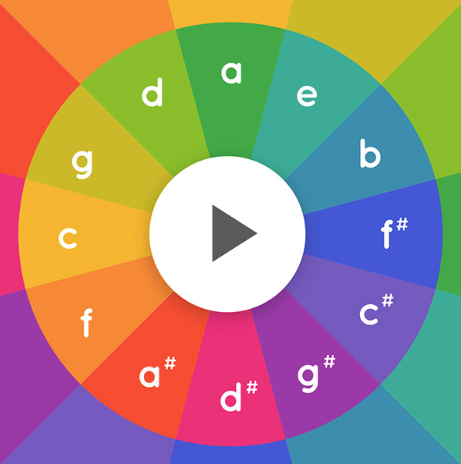
Chrome music lab makes learning about music more accessible through its myriad of sound resources through which children can experiment and learn.

Your students can experiment with song making, rhythm exploration, sound waves, melody and more! Music involves both hemispheres of the brain, and is an excellent mechanism through which to support learning and creativity. This site is excellent for special education students as well.

If your students create and post a song, please email it to Michelle to post here!

Pin It on Pinterest